CrewAI has built-in tracing, logging, and usage metrics, and it exports OpenTelemetry through OpenLIT. Tracing: run crewai login and pass tracing=True to a Crew or Flow (or set CREWAI_TRACING_ENABLED=true), and CrewAI AMP shows agent decisions, the task timeline, tool usage, LLM calls, and errors. Logging: verbose=True prints execution, and output_log_file writes it to a text or JSON file. Metrics: crew.usage_metrics and CrewOutput.token_usage report token usage after a run. To send spans to your own backend, openlit.init() instruments CrewAI and its LLM provider over OpenTelemetry.
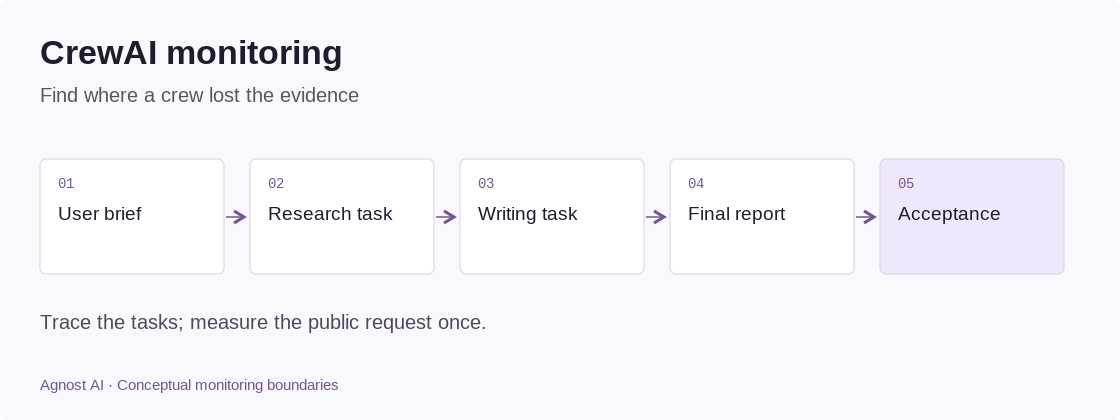
None of those signals tell you whether the crew did what the user asked. The researcher may collect weak evidence, the writer may ignore a constraint, or a tool may return an error as ordinary text. A successful Python return tells you the orchestration finished, not that the report was useful. CrewAI observability has to connect a user’s request to the crew run, its tasks, agent activity, tool calls, and final result. Start by recording the request and response around crew.kickoff(), add framework instrumentation when you need to locate the step that caused a delay or bad answer, and keep the user’s outcome separate from execution status.
Agnost AI provides agent analytics, observability, and monitoring. For CrewAI, its conversation SDK records the interaction you wrap; its OpenTelemetry ingestion can receive the deeper spans your instrumentation exports. These are different levels of coverage. Installing the conversation SDK alone does not automatically trace every task or tool.
This guide was checked against crewai 1.15 and openlit 1.45 in November 2026.
| Layer | How to turn it on | Where the data goes |
|---|---|---|
| CrewAI tracing | crewai login, then tracing=True or CREWAI_TRACING_ENABLED=true | Traces tab in CrewAI AMP |
| CrewAI logs | verbose=True, output_log_file=True or a file path | Console, logs.txt, or a .json file |
| Usage metrics | Read crew.usage_metrics after kickoff() | Your code |
| OpenTelemetry via OpenLIT | openlit.init() before building the crew | Any OTLP backend, including Agnost |
| Agnost conversation SDK | agnost.begin() around kickoff() | Agnost conversations |
CrewAI’s built-in tracing is the quickest start when the question is which agent, task, or tool ran. Its dashboard covers agent decisions, the task timeline, tool usage, LLM calls, performance, and errors. The CrewAI docs warn that traces can contain prompts, inputs, and outputs, and the first traced run asks before uploading the buffered trace, so test it interactively before relying on it in a worker. crewai traces enable and crewai traces disable switch it later.
The Agnost request wrapper below records the public interaction. Add the documented OpenTelemetry instrumentation when you also need internal spans. Keep a stable user and conversation identity so execution evidence can be reviewed alongside the request and result. These approaches capture different boundaries; verify the spans actually received before assuming equivalent coverage.
For example, use task-level evidence to investigate a delegation loop, then review the associated conversation to establish what the user needed. To assess whether the result was correct, record a review or downstream outcome separately. Neither a completed trace nor a returned crew result establishes that on its own.
CrewAI does not write a log file unless you ask. verbose=True on the Crew prints each agent’s steps to the console, which is useful locally and noisy in production. output_log_file=True writes logs.txt in the working directory; pass a path to choose the file, and end it in .json to get JSON instead of text. For structured, per-step records in your own code, the Crew’s step_callback runs after each agent step and task_callback after each task.
Put the run ID and conversation ID in anything your callbacks write, so a log line can be joined to the trace and the user’s request. Log the task name, agent role, and a short result status; avoid logging full tool results that may contain customer data. Agnost stores traces, not OTLP logs, so keep these files or callback records in your existing log pipeline.
CrewAI reports token usage directly. After kickoff(), crew.usage_metrics holds LLM usage across all tasks, and the returned CrewOutput has token_usage plus a tasks_output list with each task’s result. CrewAI AMP’s trace dashboard adds performance metrics per run. OpenLIT can also emit OpenTelemetry metrics for cost and latency; Agnost does not store OTLP metrics, which is why the setup below disables them and Agnost derives tool volume, success, and latency from spans instead.
Token counts and duration describe execution. The outcome metrics below tell you whether the crew helped.
Consider an illustrative two-agent crew that writes a competitor brief. The researcher gathers evidence; the writer turns that evidence into a report. The user asks for current pricing and links to primary sources.
Follow the evidence through the example:
| Observation | What it tells you | Next inspection |
|---|---|---|
| The crew returns a report | Orchestration completed | Check the requested evidence |
| Research output contains an old pricing page | The evidence may be stale | Inspect source date and retrieval inputs |
| Writer supplies a current price without a source | The final claim is unsupported | Compare writer input with the claim |
| User asks “where did that number come from?” | The report did not meet the stated requirement | Preserve the correction in the conversation |
The useful finding is that the writing step asserted something absent from its evidence. A different finding—fresh evidence existed but was omitted from the writer’s context—would point to the task handoff instead.
In Agnost, start with the public conversation to establish the user’s constraint. Inspect the available task and tool evidence next. Record source references and task version in your application when needed; those details do not appear simply because a crew has two agents.
A practical corrective experiment is to require the writer to leave unsupported fields unresolved and include the source reference with every price. Review comparable briefs after that change. Do not claim an improvement until the resulting reports have been checked.
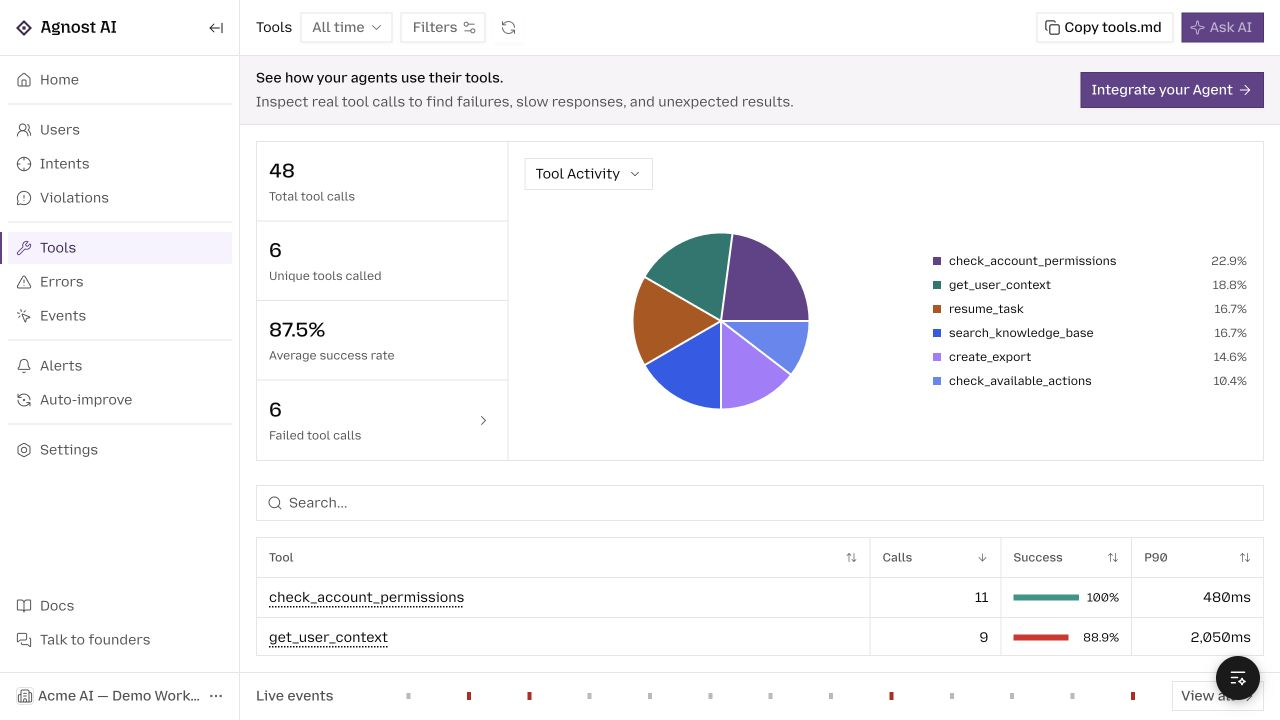
Use these definitions to design your measurement plan. Calculate them from the required application or tracing evidence; they are not all precomputed dashboard metrics.
| Metric | Definition | Interpretation |
|---|---|---|
| Crew execution failure rate | Failed kickoff attempts / all recorded kickoff attempts | Keep retries distinct from user requests. |
| Delegation per request | Delegation operations / public requests | Segment by crew process and requested work. |
| Report acceptance rate | Explicitly accepted reports / reports with an observed decision | Show pending and unreviewed reports separately. |
Use three boundaries. A conversation groups related user requests. A run is one execution attempt. A task is work performed inside that attempt. An application retry creates another attempt; it should not become another apparent customer.
| Boundary | Useful evidence | Question it answers |
|---|---|---|
| User request | Sanitized input, user ID, conversation ID | What did this person need? |
| Crew run | Run ID, crew version, duration, terminal status | Did this attempt finish? |
| Task or delegation | Responsible agent, task, inputs, result | Where did the output go wrong? |
| Tool call | Tool name, duration, result status | Did the agent get usable evidence? |
| Product outcome | Accepted report, approved action, explicit feedback | Did the work help? |
A report-generation product might distinguish generated, accepted, and revised. Those are application-defined outcomes, not built-in CrewAI or Agnost guarantees. If you only observe generation, call the metric generation completion; don’t label it customer success.
This example wraps an existing, working crew. Its tasks must accept a {prompt} input. Keep your current CrewAI model and tool configuration; the instrumentation does not require changing either.
Example scope: the code below is an integration adapter for an existing application. Configure its framework, model, credentials, and output contract as described; the demo screenshots were not generated by running these snippets.
pip install agnost
export AGNOST_ORG_ID="your-org-id"
import os
from uuid import uuid4
import agnost
# Initialize once when your worker starts.
if not agnost.init(os.environ["AGNOST_ORG_ID"]):
raise RuntimeError("Agnost initialization failed")
def run_report(crew, prompt: str, user_id: str, conversation_id: str):
# This example expects input already approved for telemetry.
interaction = agnost.begin(
user_id=user_id,
conversation_id=conversation_id,
agent_name="crewai-report",
input=prompt,
properties={
"framework": "crewai",
"crew_version": "report-v1",
"run_id": str(uuid4()),
},
)
try:
result = crew.kickoff(inputs={"prompt": prompt})
except Exception as exc:
# Avoid sending exception messages containing tool credentials or data.
interaction.end(output=type(exc).__name__, success=False)
raise
else:
interaction.end(output=result.raw, success=True)
return resultCall agnost.shutdown() when the worker exits so queued events can be sent. In a one-shot script, put that call in an outer finally block. In a web server, use the process lifecycle rather than shutting down the shared SDK after every request.
The success=True above means the invocation returned normally. The SDK measures elapsed time between begin and end; it does not infer report acceptance. Use your authenticated application’s user and conversation IDs instead of the sample names. Strip sensitive fields before recording both inputs and outputs.
CrewAI returns a CrewOutput; raw holds its final textual result. Task-level outputs are separate, which matters when the final response hides an earlier mistake. See CrewAI’s crew and output reference.
For task, agent, and model spans in your own backend, use OpenLIT, which CrewAI documents and Agnost’s CrewAI guide uses. Initialize it before constructing any Crew or Agent:
Spans use the OpenTelemetry GenAI conventions, such as gen_ai.prompt.{n}.content, gen_ai.completion.{n}.content, and gen_ai.usage.*, plus gen_ai.agent.name and gen_ai.operation.name on agent and task spans. CrewAI’s own anonymized telemetry to CrewAI’s servers is unrelated and can stay on.
This configures a trace destination. The exact tasks, model attributes, token usage, and tool spans depend on the installed instrumentation and provider versions. Inspect a real exported run before relying on any particular field. A custom tool performing several internal HTTP requests may need its own spans to explain where time went.
If you combine SDK interactions and automatic traces, label their boundaries clearly. A conversation event and a crew span can describe the same invocation. Counting both as completed user requests inflates volume. Pick one source for request-level metrics and use deeper spans for diagnosis.
The final answer is wrong, but every task completed. Inspect the first task whose output no longer supports the user’s request. In a research-and-writing crew, compare the evidence collected with the claims written. If the researcher had no relevant evidence, changing the writer’s tone will not fix the problem. Record task outputs selectively so you can follow that dependency without collecting an entire sensitive document corpus.
Delegation keeps repeating. Compare agent-to-agent transfers with changes in evidence. Repeated transfers are useful when specialists add information. A cycle that passes the same unresolved question between agents is a different pattern. Capture the delegating agent, receiving agent, and task boundary; investigate unclear ownership or an unavailable tool before increasing iteration limits.
The crew is slow only for some requests. Segment by requested work. A long research report and a short classification task should not share one latency target. Look at the longest dependent sequence, not the sum of parallel task durations. Otherwise concurrency can make your reported latency exceed what the user actually waited.
A tool failed, but the run says success. Some tools return a message such as “document unavailable” rather than raising. Preserve a structured result status in your own tool boundary. A model can write fluent prose after receiving unusable tool output.
A retry produced two reports. Give each attempt a distinct run ID while keeping the same conversation ID. Separately identify any external action, such as sending a report email, so you can tell repeated reasoning from repeated delivery.
In Agnost’s Users, review related interactions as conversations. In Events, inspect the records and spans that arrived. Configured intents help organize requests by what users wanted; an intent match is not proof of resolution.
Start with questions you can answer from evidence:
Record the last outcome in your application when it occurs. Do not invent it from a positive-sounding response. Keep unknown outcomes visible instead of quietly adding them to either successes or failures.
Run one ordinary request and inspect its input, final output, identity, and timestamps. Then inspect a known failed invocation. The failed attempt should remain distinguishable from a valid response. If you enabled tracing, verify that the task or tool you care about actually appears; a root span alone is not full crew visibility.
Missing records usually call for checking exporter configuration, organization ID, initialization order, sampling, and worker shutdown. Missing context calls for checking identity propagation. Neither is fixed by adding more keywords to an agent name.
For the concrete setup, use Agnost’s CrewAI guide. If your workflow pauses and resumes across requests, the LangGraph monitoring guide explains the additional distinction between a persistent thread and an execution attempt.
Browse all agent observability guides by framework.
## Frequently asked questions ### How do I enable tracing in CrewAI? Run crewai login, then pass tracing=True to your Crew or Flow, or set CREWAI_TRACING_ENABLED=true to trace every Crew and Flow. Traces appear in the Traces tab of CrewAI AMP and include agent decisions, the task timeline, tool usage, LLM calls, and errors. You can switch it later with crewai traces enable or crewai traces disable. To send spans to your own OpenTelemetry backend instead, instrument CrewAI with OpenLIT. ### Where are CrewAI logs? By default CrewAI does not write a log file. Set verbose=True on the Crew to print execution to the console, or set output_log_file=True to write logs.txt in the working directory. Pass a file path to choose the location; a path ending in .json writes JSON instead of text. ### How do I get CrewAI metrics? After kickoff, crew.usage_metrics reports LLM token usage across all tasks, and the returned CrewOutput carries token_usage plus tasks_output for each task. For latency, error rates, and cost over time, export traces with OpenLIT or use CrewAI AMP's tracing dashboard, which includes performance metrics. ### Does CrewAI monitoring require tracing every model call? No. A request wrapper gives a useful starting point for conversation review and execution latency. Deeper tracing becomes necessary when you need to attribute retries, tool failures, or work to a particular agent. ### Can I use Agnost with an existing tracing tool? Yes. The conversation SDK can sit at the application boundary while your existing tool handles execution traces. If you export traces to multiple destinations, review data handling and duplicate counting rather than assuming two dashboards see identical data.