
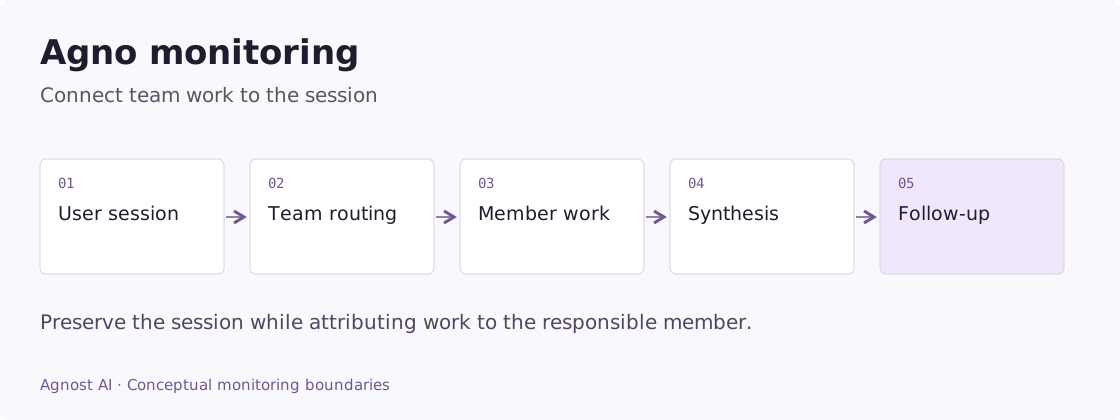
A team of Agno agents can produce a convincing response while the wrong specialist does the work. A follow-up can lose context even though every model request succeeds. To investigate either problem, you need the user’s session and the internal execution together.
Agno monitoring should preserve session identity, record each public run, and expose the member or tool responsible for an important decision. Request-level analytics tells you what users experienced; deeper traces explain how the agents produced it.
Agno is the framework. Agnost AI is an agent analytics, observability, and monitoring platform that can receive its interactions and supported traces. The similar names do not imply that they are the same product.
Worked example: a team loses the role during delegation
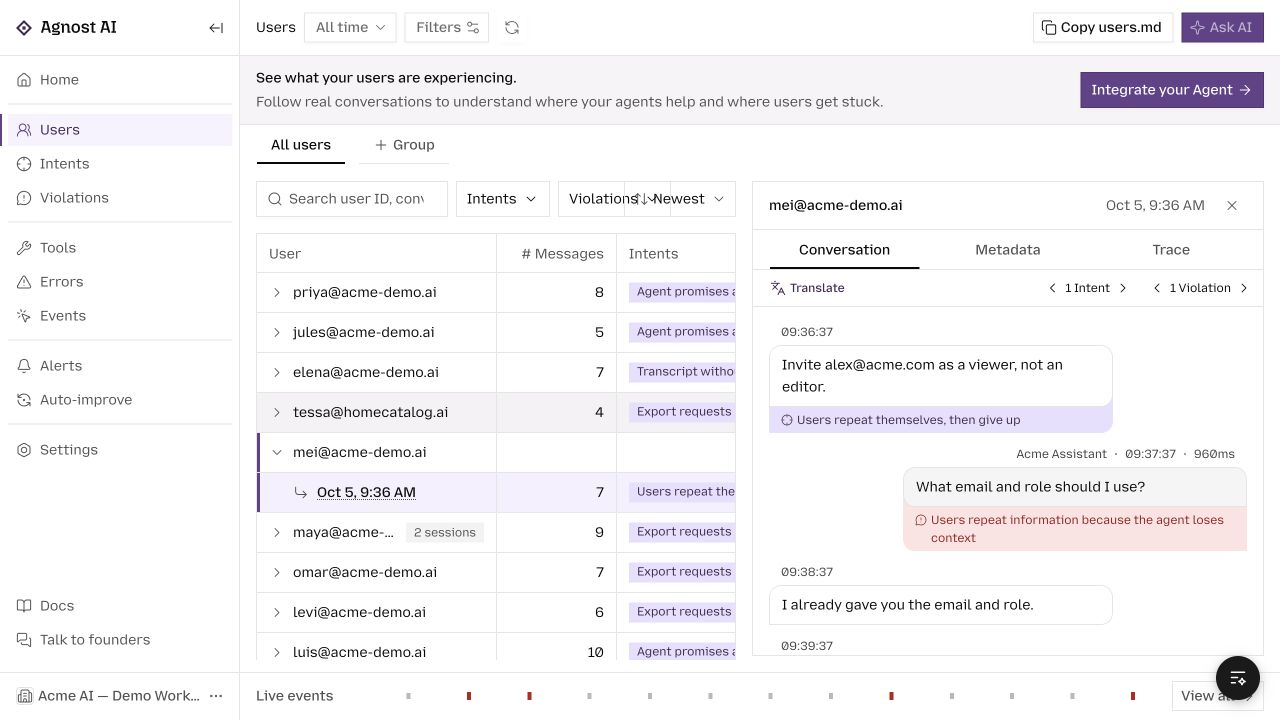
In an illustrative workspace assistant, a user asks to invite a teammate as a viewer. A coordinator sends the task to an account-management specialist, but the specialist asks for the role again.
| Boundary | Evidence to compare | Question |
|---|---|---|
| User message | Email and viewer role | Was the request complete? |
| Coordinator assignment | Text passed to the member | Was the role included? |
| Member input | Effective context seen by the specialist | Did delegation preserve it? |
| Tool arguments | Invitee and role | Was the requested permission used? |
| Final reply | Invitation status | Does it match the external result? |
If the role disappears between assignment and member input, the investigation is about delegation context. If it reaches the member but the member asks again, inspect its instructions and decision. If the tool receives the correct role but rejects the request, preserve that rejection instead of reporting a memory failure.
For subsequent turns, compare the session used by the application with the ID exported for analytics. Fixing a label in telemetry will not repair the agent’s memory configuration. The purpose of the trace is to establish which boundary lost the information.
Agnost’s conversation view makes the repeated question visible. Member and tool traces provide attribution only when your chosen instrumentation actually exports them.
Metrics that answer useful Agno questions
Use these definitions to design your measurement plan. Calculate them from the required application or tracing evidence; they are not all precomputed dashboard metrics.
| Metric | Definition | Interpretation |
|---|---|---|
| Repeated-detail rate | Reviewed conversations asking again for supplied details / reviewed conversations | Exclude genuine clarifications of ambiguous requests. |
| Member workload | Member executions grouped by agent and request intent | Executions are not unique users. |
| Team response time | Public run completion minus public run start | Do not sum overlapping member durations. |
Start with session identity
Choose a stable identifier for related user turns. Use it consistently in your Agno application and in the conversation events you send to Agnost. The telemetry identifier does not configure memory by itself: your Agno agent or team still needs its appropriate session and storage configuration.
Distinguish one user request from the internal work it triggers. If a coordinator asks three members for help, that is still one incoming request. Member activity is useful execution evidence, not three more users.
| Scope | Suggested evidence |
|---|---|
| Conversation | User ID, stable session/conversation ID |
| Public run | Input, public response, agent/team version, duration |
| Team member | Member identity, assigned work, returned evidence |
| Tool | Operation, result status, latency |
| Outcome | Confirmed completion or user correction |
These are instrumentation goals, not fields guaranteed by every exporter.
Record the public agent run
Install agnost in your existing Agno environment. This adapter accepts an existing non-streaming agent and a serializer for its content, so it can accommodate both text and structured output.
Example scope: the code below is an integration adapter for an existing application. Configure its framework, model, credentials, and output contract as described; the demo screenshots were not generated by running these snippets.
import os
import agnost

agnost.init(os.environ["AGNOST_ORG_ID"])


def observed_run(agent, prompt, *, user_id, conversation_id,
                 content_to_text):
    interaction = agnost.begin(
        user_id=user_id,
        conversation_id=conversation_id,
        agent_name="agno-support",
        input=prompt,
        properties={"framework": "agno", "agent_version": "support-v1"},
    )
    try:
        response = agent.run(prompt)
        safe_text = content_to_text(response.content)
    except Exception as exc:
        interaction.end(output=type(exc).__name__, success=False)
        raise
    else:
        interaction.end(output=safe_text, success=True)
        return response
Set AGNOST_ORG_ID before startup and initialize once. Provide sanitized input and an allowlisted output serializer. Call agnost.shutdown() when the process exits. Keep your existing Agno session configuration; the example only adds observation around the call.
This captures the elapsed public call and its output. It does not automatically capture all member runs or model usage. A successful return means the invocation completed, not that the user’s issue was resolved.
Add team and tool detail where it helps
Agnost’s Agno integration documents the OpenInference instrumentor and an OpenTelemetry exporter. Agno’s own tracing overview describes execution tracing in its ecosystem. Choose the instrumentation path that fits your installed version and existing tracing stack.
After configuring export, inspect a real team run. Confirm whether member identity, inputs, outputs, and tool activity appear. If the trace contains only a parent operation, do not assume you can attribute problems to individual members. Custom application boundaries may need additional spans.
If you keep the conversation wrapper and deeper instrumentation, decide which record represents one public request. Otherwise a team root, several member spans, and an SDK event can inflate the same volume metric.
Investigate team failures in the order information moved
The wrong specialist answered. Inspect the routing decision and the work assigned. A specialist can execute its task well and still be the wrong choice for the user’s need. Record a stable member identity rather than relying only on generic model names.
The coordinator ignored useful member output. Compare what the member returned with the final answer. The failure may be synthesis or context selection rather than retrieval. Collect concise, approved evidence at that boundary.
The agent forgot a previous turn. Compare the application session used for execution with the conversation ID recorded for analytics. Correct telemetry grouping can coexist with incorrect memory configuration, and vice versa.
Members repeat the same work. Look for overlapping assignments and repeated identical tool calls. Some repetition is intentional verification; investigate whether it adds independent evidence before removing it.
Latency rises with team size. Measure the public request’s wall-clock duration. Parallel member durations overlap; their sum is work performed, not user waiting time. Inspect the slowest dependent path and any coordinator work after members finish.
Connect team behavior to product demand
Use Agnost Users to inspect a customer’s conversation and Events to review received execution records. Group requests by configured intent when useful: account help, document research, or an action the agent can perform.
Then ask a narrow question. Are account-help requests routed to the right member? Do document questions require repeated clarifications? Does a team revision change the frequency of corrections? Inspect supporting conversations before drawing conclusions from an aggregate.
For an agent that takes actions, record the authoritative result from the external system. A team saying it completed an action is not enough. Preserve pending and unknown outcomes separately so they do not silently become successes.
Common setup checks
If no events arrive, check initialization, organization ID, destination, and process flushing. If events arrive without coherent sessions, inspect the identifiers supplied at runtime. If model details are missing, inspect instrumentation coverage rather than assuming zero model usage.
Keep your framework and instrumentor versions recorded with the application. Recheck a representative run after upgrades because instrumentation can change independently of your business logic.
Frequently asked questions
Can Agnost observe a single Agno agent?
Yes. Begin with the public agent.run() boundary. Team tracing is additional detail, not a prerequisite for useful conversation analytics.
Do I need to send every memory entry?
No. Record the evidence necessary to understand a failure. Session identity, selected document references, and the public interaction are often a better starting point than exporting all stored context.
Continue with the Agno setup guide. For task-based collaboration with different orchestration semantics, see CrewAI observability.
Browse all agent observability guides by framework.