
A streaming chat can look fast because the first token appears immediately, then fail before the useful answer arrives. It can also finish generating after the user has closed the page. A successful HTTP response alone cannot tell you what the user received.
Vercel AI SDK observability needs separate signals for generation, stream completion, and user experience. Record the public interaction, use the SDK’s telemetry for model and tool detail, and treat cancellation as its own state rather than silently counting it as success.
Agnost AI supports direct conversation tracking and OpenTelemetry ingestion for AI applications. Its Vercel AI SDK guide explains both paths. Use the npm package agnostai for conversation tracking; the separate agnost npm package serves the MCP integration.
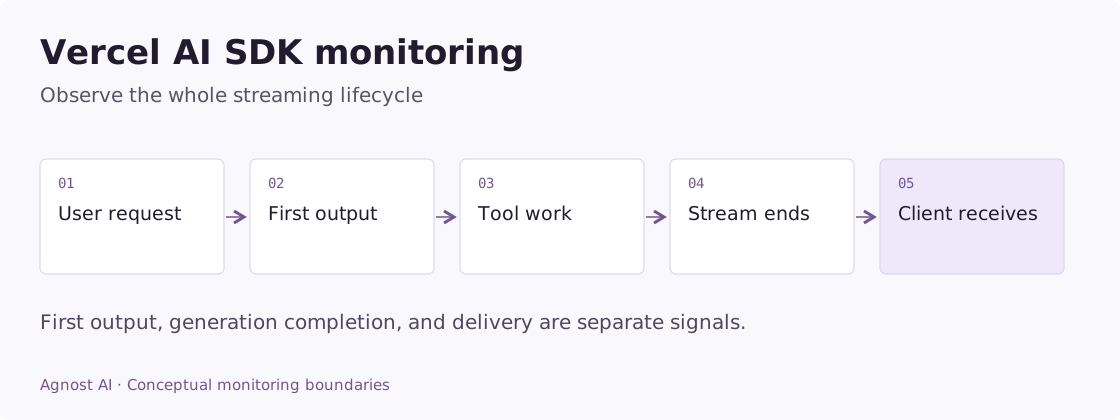
Worked example: the first token is fast, but the answer never finishes
Consider a streaming order assistant. It immediately emits “Let me check,” calls an order service, and then the browser disconnects. This illustrative sequence shows why a single latency value is insufficient.
| Observation point | What happened | Safe conclusion |
|---|---|---|
| First visible text | A short acknowledgement appeared | The interface responded |
| Tool start | Order lookup began | Useful work is still pending |
| Client disconnect | The browser connection closed | Delivery observation ended |
| Backend completion | A final answer was generated later | The server finished; receipt is unproven |
Do not count the acknowledgement as a completed answer. Do not count backend completion as proof the customer saw the order status. Preserve the request ID so client and server evidence can be connected without treating their records as two requests.
Inspect whether cancellation propagates to the underlying work and whether terminal callbacks can race. Your end-once guard should prevent an error callback and a finish callback from recording contradictory terminal states for the same interaction.
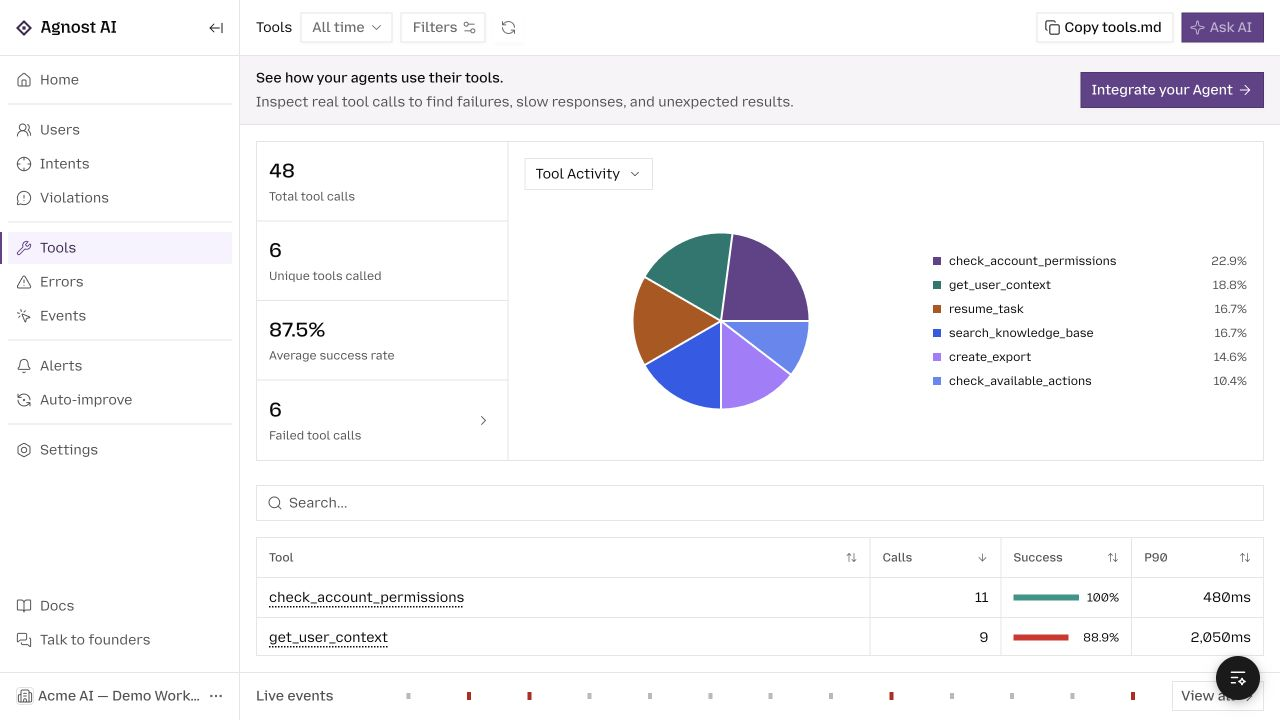
In Agnost, tool records can explain dependency delay, while your explicit public interaction records completion or failure. Client rendering requires separate application evidence. A screenshot of a tool dashboard cannot establish end-to-end delivery.
Metrics that answer useful Vercel AI SDK questions
Use these definitions to design your measurement plan. Calculate them from the required application or tracing evidence; they are not all precomputed dashboard metrics.
| Metric | Definition | Interpretation |
|---|---|---|
| Time to first visible output | First rendered content time minus client request time | Server first-token timing is a different measurement. |
| Generation completion rate | Normally completed generations / started generations | Retain failed, cancelled, and unknown states. |
| Tool P90 | 90th percentile of recorded tool durations | Segment by tool; this is not full response time. |
Decide which duration you are measuring
| Measurement | Start and end | What it reveals |
|---|---|---|
| Server generation duration | Generation requested to generation finished | Backend work |
| Time to first visible output | User request to first rendered content | Perceived responsiveness |
| Full visible response time | User request to completed rendered answer | End-to-end experience |
| Tool duration | Tool started to tool returned | Dependency behavior |
Server telemetry cannot prove that a browser rendered an answer. Capture client experience separately if you need it, linked through an application request ID. Keep that identifier distinct from a conversation spanning several turns.
Begin with a non-streaming boundary
The following server-side adapter wraps generateText. It accepts a configured model from your existing application, preserving your provider choice. Install agnostai alongside ai and your provider package.
Example scope: the code below is an integration adapter for an existing application. Configure its framework, model, credentials, and output contract as described; the demo screenshots were not generated by running these snippets.
import * as agnost from 'agnostai';
import { generateText, type LanguageModel } from 'ai';

const orgId = process.env.AGNOST_ORG_ID;
if (!orgId) throw new Error('AGNOST_ORG_ID is required');
agnost.init(orgId);

export async function observedGenerate(
  model: LanguageModel,
  prompt: string,
  userId: string,
  conversationId: string,
) {
  // Supply sanitized content at this boundary.
  const interaction = agnost.begin({
    userId,
    conversationId,
    agentName: 'ai-sdk-assistant',
    input: prompt,
    properties: { framework: 'vercel-ai', agentVersion: 'assistant-v1' },
  });
  try {
    const result = await generateText({ model, prompt });
    interaction?.end(result.text);
    return result;
  } catch (error) {
    interaction?.end(error instanceof Error ? error.name : 'GenerationError', false);
    throw error;
  }
}
Sanitize output before end if it may contain sensitive material. Initialize once in your server process. Flush at shutdown using await agnost.shutdown(). For serverless environments, integrate flushing with the runtime’s supported request lifecycle; do not assume a background timer will run after the response finishes.
This example records generation completion. It does not observe client rendering, and it does not automatically record every tool span. The AI SDK’s text generation documentation explains the distinction between generation and streaming APIs.
Enable the framework’s OpenTelemetry path
AI SDK telemetry is opt-in. Configure your server’s OpenTelemetry provider/exporter first, then enable telemetry on the calls you want to observe. A call configuration can include:
const telemetry = {
  isEnabled: true,
  functionId: 'support-answer',
  metadata: { userId, sessionId: conversationId },
};
// Pass as experimental_telemetry: telemetry on your generation call.
// userId and conversationId come from your authenticated request context.
Follow Agnost’s exporter setup and the AI SDK telemetry reference. Inspect recording options for inputs and outputs before enabling content capture. Register the exporter in the actual runtime handling your calls; a provider initialized in another process cannot collect them.
Keep existing instrumentation rather than installing competing global providers. Check an exported request for the expected model and tool spans. Metadata presence, token usage, and error detail depend on the operation and provider.
Streaming needs a terminal state
Do not end an interaction immediately after obtaining the stream object. At that moment the answer may barely have started. Connect your recording to the terminal callbacks or stream-consumption lifecycle supported by your installed AI SDK version.
Your application should distinguish:
- Completed: the observed generation reached its normal terminal state.
- Failed: generation or stream processing encountered an error.
- Cancelled: the request was intentionally aborted or disconnected according to your application policy.
- Unknown: you lost the observation before a terminal state was recorded.
Those are application states to implement, not automatic conclusions Agnost draws from a text chunk. Use an end-once guard when several callbacks can terminate the same interaction. Preserve whether a partial answer existed, but do not label partial text a completed answer.
A client disconnect can happen after useful content was delivered or before anything rendered. That is why cancellation counts and client experience need context. Repeatedly counting every disconnect as a model failure can send investigation in the wrong direction.
Investigate tools inside a streaming turn
A pause in visible tokens may be a tool call rather than slow generation. For an order-status assistant, inspect the order lookup duration and structured result. If the lookup returns “not found,” the agent may still produce a fluent answer; transport success does not establish task completion.
Record tool outcomes from the tool implementation and product outcomes from the authoritative system. Avoid counting each model step as a new conversation. One user turn may legitimately include multiple model and tool operations.
When comparing releases, separate text-only questions from tool-heavy requests. A change in the incoming mix can move average response time without a regression in either category.
Inspect the interaction in Agnost
Use Users for the sequence of user turns and Events for the records and spans received. For a slow request, ask whether the user waited for the first output, a tool, or the final completion. For a bad answer, inspect the tool evidence and public response together.
If the dashboard contains only completed answers, inspect error and abort paths before interpreting reliability. An instrumentation path that runs only in a normal finish callback can systematically hide the cases you most need to see.
Frequently asked questions
Why does telemetry show nothing?
Check per-call telemetry enablement, provider initialization, exporter destination, organization header, and runtime flushing. Enabling telemetry in a different process or only on some generation calls creates partial coverage.
Should I send every token as an Agnost interaction?
No. Tokens are pieces of one response. Capture a coherent interaction at completion or another explicit terminal state; use traces and timing signals for stream behavior.
For application frameworks that manage their own exporter layer, see Mastra observability.
Browse all agent observability guides by framework.